Tips
·
Oct 31, 2025
A Common Challenge for Designers and Marketers
Every designer and marketer who creates documents faces the same challenge. The frustration you feel every time you share a document you've carefully crafted in Figma. Export as PDF and the file size is too large, share the original Figma link and you worry about edit permissions, use a compression site and the quality seems to drop...
Have you ever thought, "There must be a better way"?
Why Is Sharing Figma PDFs So Inconvenient?
Figma is an excellent design tool, but it's not optimized for document sharing. PDFs exported from Figma have large file sizes, and dynamic content like videos can't be included at all.
As a result, your design intent isn't properly conveyed, and recipients feel frustrated by slow loading times.
Featpaper's Figma Plugin Solves This
With Featpaper's Figma plugin, you can transform your Figma design into a perfect web-based document with just one click.
Web Viewer Sharing Lighter and Faster,
Web-optimized document viewer: Shows your documents in the most optimized format across any digital environment
Fast loading: Web viewer-based, so it opens quickly on any device
Link sharing: No need to attach heavy files to emails
From Videos to Interactive Content Smarter,
Video embedding: Add motion content directly to your document using embed mode
External tool integration: Embed survey forms, scheduling tools, and more to work directly within the document
Interactive preservation: Figma prototype click actions remain intact
Real-time updates: Document edits are automatically reflected in shared links
Analytics: Track who viewed which pages and when
Need a PDF?
While link sharing is the default, when needed you can save a high-quality PDF anytime using the download button in the viewer. The file size is lighter than direct Figma exports while maintaining the same quality.
Recommended For
Those who want to include videos in documents but find file sharing cumbersome
Those who've been searching for compression sites due to PDF file sizes
Those who want to track view data for their design documents
How to Use
Install the plugin from the Figma plugin page
Launch the Featpaper plugin from Figma's bottom toolbar
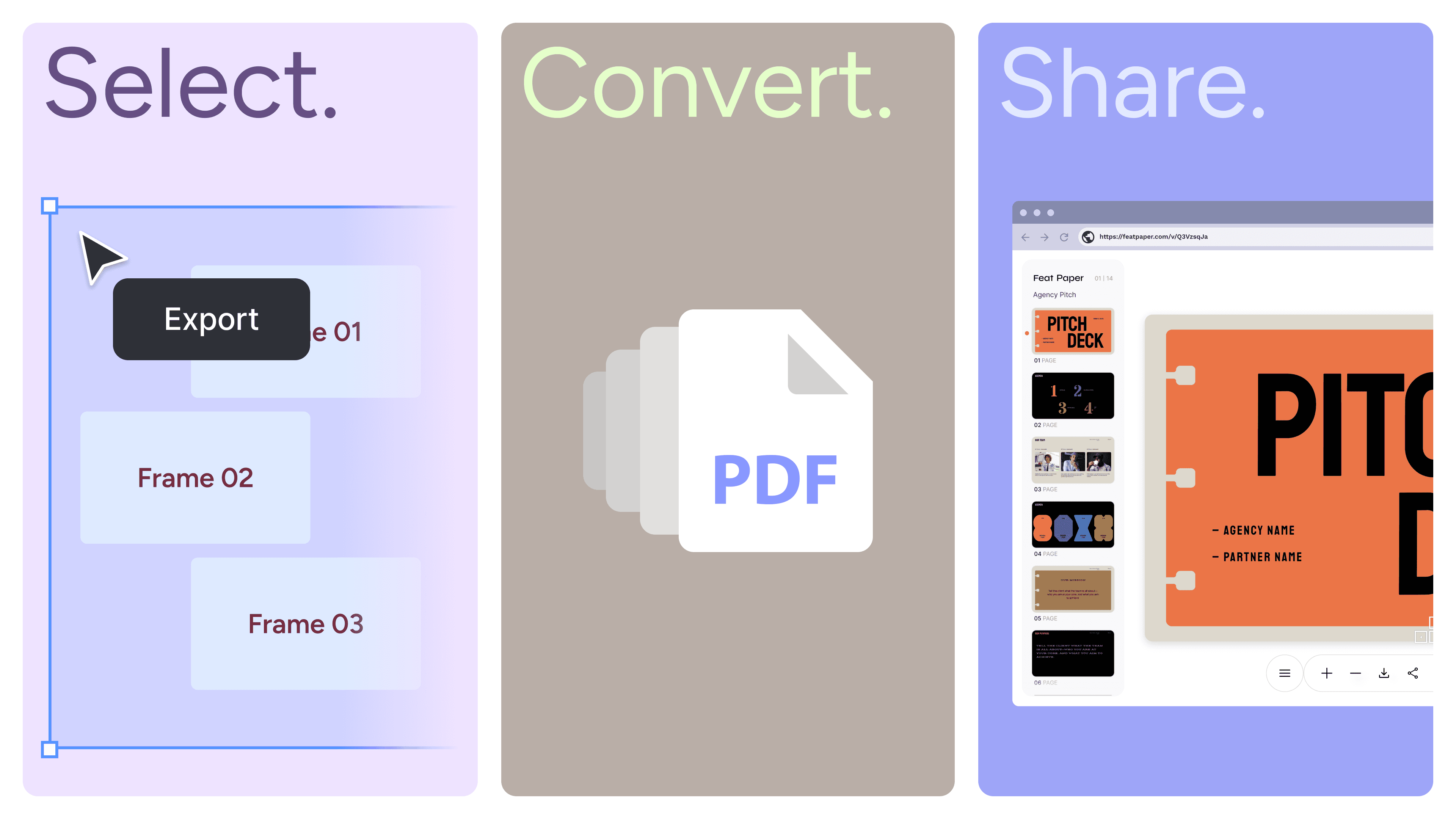
Select frames to share by dragging
Switch to embed mode if needed to add videos, etc.
Adjust the order and click the Export button
You're ready to share in just a few seconds.
Start Now
Share your Figma designs lighter and smarter. The Featpaper plugin solves all the inconveniences of document sharing.